Annotate a song by marking vocabulary, pronunciation, stress, and a practice cue on each line, then run a five to ten minute cycle that pairs retrieval with re-listening. That’s the whole method. Everything else in this guide just helps you do it well.
Start now, before you overthink song choice:
- Pick a chorus you already half know, four to eight lines.
- Mark five target words with a quick gloss or translation.
- Add stress marks over the syllables that trip you up.
- Write one gap-fill line you can quiz yourself on later.
Open three things: the lyrics page, an audio player you can loop, and a notes app or printed sheet.
Pro Tip: Annotate the chorus before the verses. Choruses repeat, so every annotation you make there gets reused three or four times in a single listen, which is the cheapest repetition you’ll ever get.
Key Takeaways
Annotating song lyrics works best when short retrieval cycles and spaced re-listening turn static notes into active practice.
| Point | Details |
|---|---|
| Pick one goal per song | Choose vocabulary, pronunciation, or listening focus before annotating to avoid clutter. |
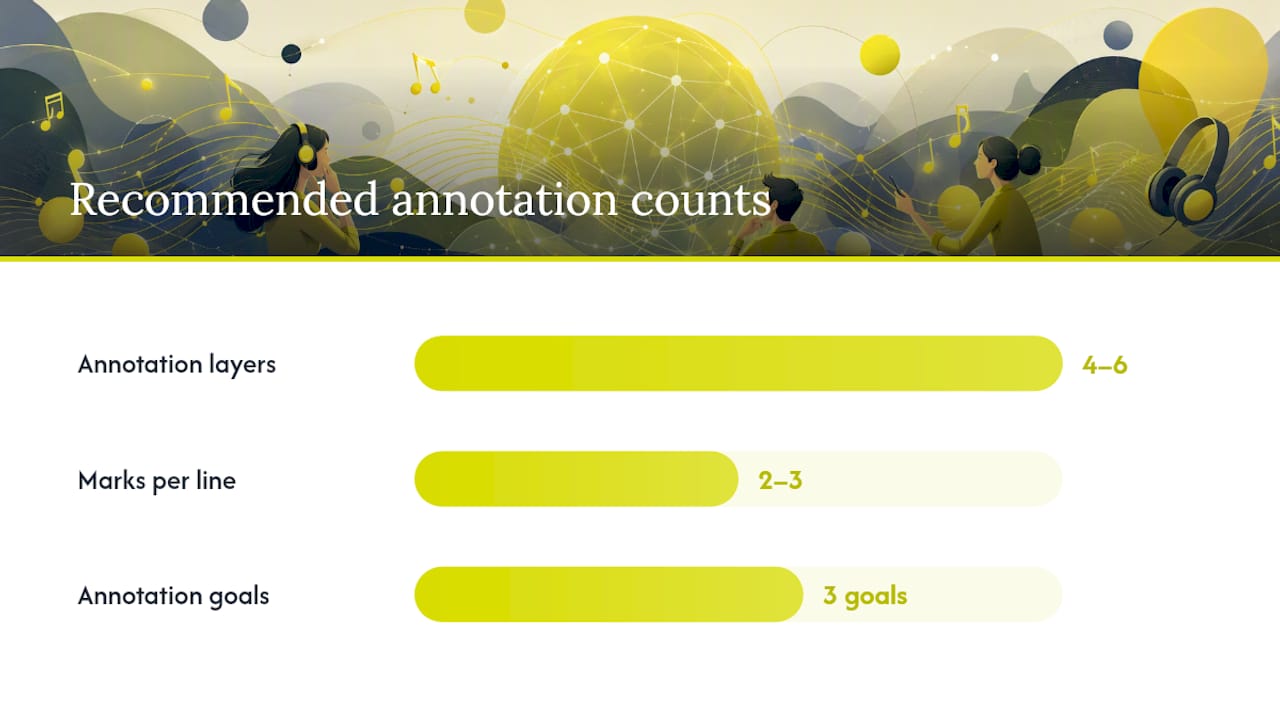
| Limit annotation layers | Cap each line at four to six annotation types: gloss, respelling, stress marks, and a practice cue. |
| Prioritize repeating sections | Annotate choruses first since repetition multiplies your retrieval reps for free. |
| Add prosodic scaffolds | Combine waveforms, beat gestures, and rhythm symbols to make stress and timing visible. |
| Run spaced micro-sequences | Repeat three to six minute practice cycles on day one, three, and seven for retention. |
| Use Canary for ready-made cycles | Canary’s karaoke, quizzes, and vocabulary cards apply this same annotation and retrieval method automatically. |
Table of Contents
- How Do You Annotate Song Lyrics Step by Step?
- Why Do Rhythm and Prosody Matter in Lyric Annotation?
- How Do Micro-Sequences Turn Annotation Into Retention?
- What Tools and Templates Work Best for Annotating Lyrics?
- How Do You Know If Lyric Annotation Is Actually Working?
- What Common Mistakes Ruin Lyric Annotation Practice?
- Selected Research Behind This Method
- Frequently Asked Questions
- Sources
How Do You Annotate Song Lyrics Step by Step?
Annotation only pays off when it’s built around one goal. Decide first: are you chasing vocabulary, pronunciation, or listening comprehension? A song annotated for all three at once usually ends up too cluttered to practice with.
Once you’ve picked a lane, follow this workflow:
- Get clean lyrics. Pull an accurate transcript rather than trusting memory or a rough fan post. A transcription tool like YumiLM can align text to audio automatically, which saves the tedious part.
- Align the audio. Note timestamps for the sections you’ll annotate so you can loop just those seconds later.
- Choose four to six annotation layers, no more: gloss, translation, pronunciation respelling or IPA, stress and rhythm marks, a grammar note, and an optional cultural note.
- Save a working copy you can mark up freely, separate from the clean source.
For the template itself, cap it at two or three marks per line. Underline stressed syllables, circle new vocabulary, and use a slash for natural pause points. Color coding works well if you’re annotating by hand: one color for vocabulary, one for pronunciation, one for grammar. Consistency matters more than the specific scheme you pick.
This layered approach mirrors what researchers have found works in classroom settings: activities like gap-fill, translation tasks, and category highlighting built directly from song lyrics show up repeatedly as effective for vocabulary, grammar, and pronunciation gains. Annotation is just the setup step for those activities.
Pro Tip: Annotate the chorus or any repeating hook first. Repetitive structures are the highest-value targets for retrieval practice because you get multiple reps without the boredom that comes from grinding a single verse.
Why Do Rhythm and Prosody Matter in Lyric Annotation?
Prosody is the melody of speech: stress, pitch, and timing. It’s the reason a fluent speaker sounds fluent even when their vocabulary is modest, and it’s nearly impossible to learn from text alone. You need something visual or physical to make it noticeable.
Three scaffolds work well together, each hitting a different level of processing:
- Computerized visuals like waveforms or spectrograms show you where stress and pitch actually peak, which is useful for analytic noticing.
- Beat gestures, tapping or moving on stressed beats, build embodied timing you can feel rather than just see.
- Visual rhythm annotation, symbols like stress dots or slash marks written directly on the lyric sheet, gives you a quick reference during fast playback.
Any music app that shows a waveform will let you slow playback and see where stress lands. Research backs the combination: computerized visuals, beat gestures, and rhythm annotation each externalize prosody differently, so using more than one at once tends to help more than relying on a single scaffold.
Pro Tip: Tap the stressed beats while shadowing the line out loud. The physical tap anchors the rhythm in muscle memory, which transfers into speech far faster than silent reading ever does.

How Do Micro-Sequences Turn Annotation Into Retention?
Use short, repeatable practice cycles, three to six minutes each, that combine active retrieval with re-listening, and space them out over the following week. A single annotated song is just raw material. What actually builds vocabulary and pronunciation is what you do with it afterward, in small doses, more than once.
Three templates cover most goals:
- Vocabulary retrieval cycle: listen once with lyrics, cover the translations, recall each target word from memory, then check.
- Prosody priming: tap or gesture along with the beat, then shadow the line immediately after, matching stress placement.
- Listening and delayed recall: fill in blanked-out lyric lines while listening, then try to recall those same lines unprompted the next day.
A simple spacing schedule keeps the gains from evaporating. Day one, run the full cycle. Day three, repeat just the retrieval step without re-annotating. Day seven, test recall cold before listening again. This mirrors what a recent mini-review of ELT studies found: lyric-based retrieval paired with spaced re-listening produced the clearest vocabulary and prosody gains across the studies reviewed, more than passive listening alone.
Pro Tip: Scale difficulty as you improve: raise the tempo, hide the captions, or mask just the chorus line and see if you can still sing it. Each constraint you remove forces deeper recall.
What Tools and Templates Work Best for Annotating Lyrics?
Pick the simplest tool that fits how you actually work, not the fanciest one available. A plain text editor and an audio player cover most solo learners. A PDF lyric sheet you can mark by hand works just as well for classroom use.
Match the tool to your setup:
- Basic: any text editor plus a music app with loop and slow-playback controls.
- Intermediate: a lyrics site paired with a waveform viewer for prosody work.
- Classroom-ready: a printed handout plus a projector or shared tablet for group annotation.
- Transcription help: a tool like YumiLM if you need clean, time-aligned lyrics fast.
A printable template needs just five columns: original line, gloss, pronunciation respelling, stress marks, and a practice cue. That last column is what most templates skip, and it’s the one that actually gets you practicing instead of just reading. Once a song is annotated, treat it like a flashcard deck: file it by difficulty and pull it back out on your spacing schedule rather than annotating something new every session. If you want a head start on picking strong vocabulary targets before you annotate, this guide to expanding vocabulary with songs walks through the selection process.
Pro Tip: Store annotated songs in folders by CEFR level. Revisiting an A2 song after three months at B1 shows you exactly how far you’ve come, which is oddly motivating in a way test scores rarely are.
How Do You Know If Lyric Annotation Is Actually Working?
Test yourself with short, repeatable tasks rather than a vague sense of “I feel like I’m improving.” Compare a baseline score against a delayed score a few days later, and the gap tells you whether the practice is sticking.
Each session, log four things: words targeted, correct recognitions, a self-rated pronunciation score, and how long recall took you.
- 1-minute recognition quiz: flash the target words, count correct answers.
- 30-second readback: record yourself saying the line, rate clarity against the original.
- 3-day delayed recall: test the same words with no lyrics in front of you.
No specialist equipment needed. Your phone’s voice memo app and a basic spreadsheet handle all of it. Classroom research on self-annotation backs this approach directly: students who tracked their own annotations over multiple sessions showed measurable gains in comprehension and confidence compared with passive listeners.
What Common Mistakes Ruin Lyric Annotation Practice?
Don’t annotate every line of a song. Do cap each session at four to six targets so your working memory can actually hold them. Don’t translate literally when a phrase is idiomatic. Do match song complexity to your level, a dense rap verse is a poor first pick for an A2 learner.
Pro Tip: When a lyric leans on cultural reference rather than vocabulary, flag it with a short contextual note instead of a full translation. A one-line explanation keeps you moving; a paragraph of background pulls you out of the practice entirely.
A practitioner’s view on why this method holds up
Annotation only works when it feeds action, not when it becomes an archive of pretty highlighted lyric sheets. The gains show up in the retrieval cycles that follow, not in the marking itself. That’s the gap most self-study guides miss: they treat annotation as the finish line instead of the starting gun. Canary applies this same logic by building karaoke and quiz cycles directly around annotated lines. Try a single structured micro-sequence before deciding whether the method suits you.
Try a Ready-Made Annotation System With Canary
Manually building gloss columns and stress marks works, but it takes time most learners don’t have on a Tuesday night. Canary hands you that structure already built: karaoke mode surfaces pronunciation in real time, quizzes turn your annotated vocabulary into retrieval practice automatically, and vocabulary cards handle the spacing schedule so you don’t have to track it in a spreadsheet.
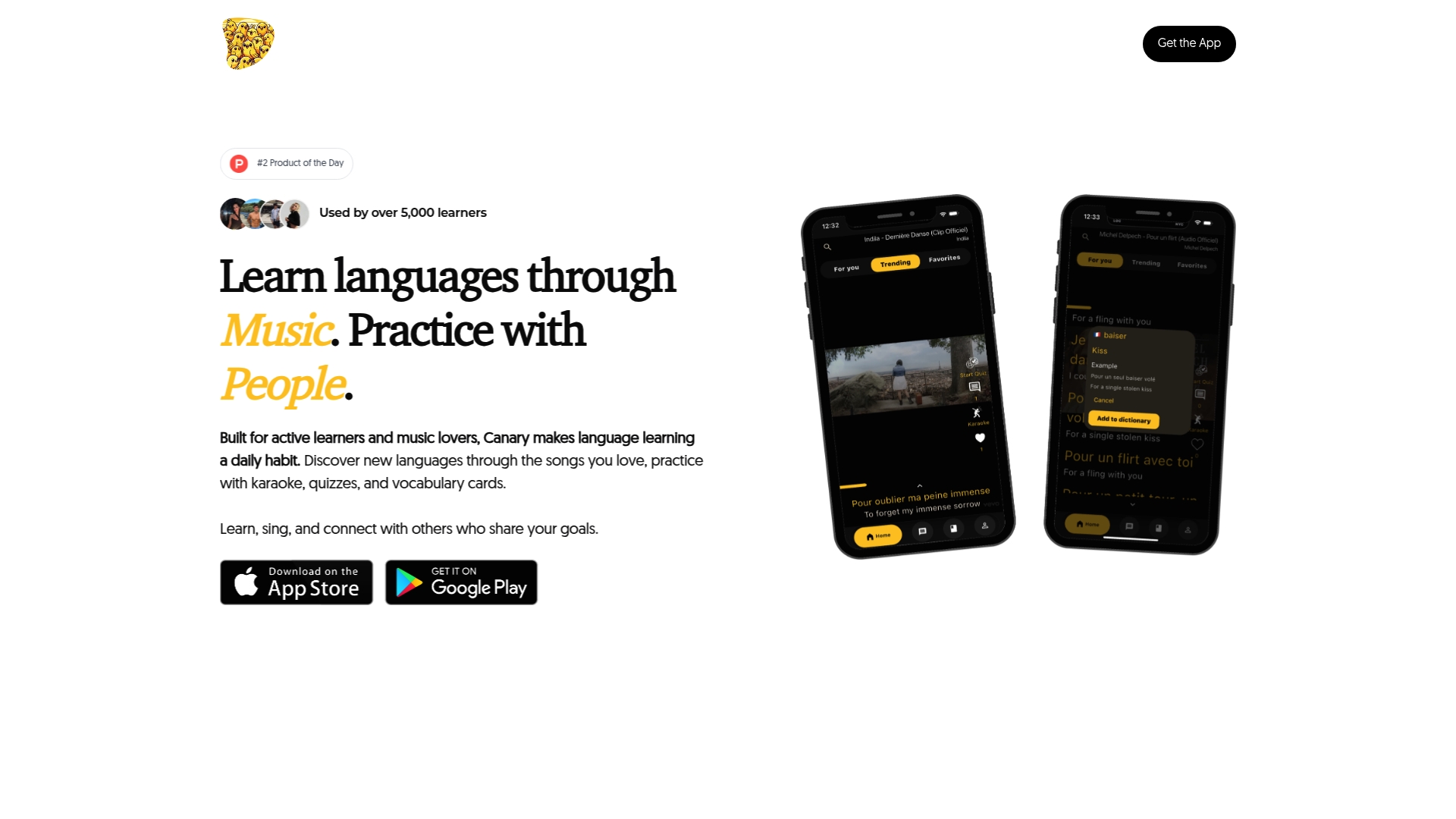
If you’ve been annotating lyrics by hand and want to see the same method running on rails, the song of the week feature gives you a fresh, pre-annotated track every week with the layers this guide describes already built in. Sign up and run your first micro-sequence today through the Canary sign-up page.
Selected Research Behind This Method
- Music as pedagogy in ELT: supports micro-sequences and spaced retrieval.
- Music-mediated pedagogy for EFL listening: backs gap-fill and repetition-focused activities.
- Visual scaffolds for listening: grounds waveform, gesture, and rhythm annotation advice.
- Multimedia annotations study (Chun & Plass): supports layered gloss annotation.
- Songs and poems in language learning: source for classroom activity templates.
Frequently Asked Questions
What does annotating song lyrics mean for language learners? It means marking vocabulary, translations, pronunciation, and stress patterns directly on a lyric sheet so you can turn a song into a structured practice tool rather than passive background music.
How many words should I annotate in one song? Four to six target words or phrases per session. More than that overloads working memory and slows down the retrieval practice that actually builds retention.
Do I need special software to annotate lyrics? No. A text editor or printed lyric sheet paired with any music app that loops playback covers most of what you need. Waveform viewers help with prosody but aren’t required to start.
How often should I revisit an annotated song? Space your practice across roughly a week: the full cycle on day one, a shorter retrieval-only session on day three, and a cold recall check on day seven.
Sources
- Music as pedagogy in ELT: mechanisms, micro-sequences, and measured gains—a mini-review
- Music-mediated pedagogy to boost EFL listening and related outcomes (scoping and findings)
- Enhancing foreign language listening with visual scaffolds: computerized visuals, beat gestures, and rhythm annotation
- Pedagogical contributions of songs and poems to language learning (Dubiner & Avirbach)
- Supporting listening comprehension and vocabulary acquisition in French with multimedia annotations (Chun & Plass)